01Restaurant tech · Kiosk, web ordering & order statusRestaurant tech · Kiosco, pedidos web y estado del pedido · 2024/26
Qu: Kiosk Self-ServiceQu: Kiosco de autoservicio
At Qu, a commerce platform used by restaurant chains with 20 to 2,500+ locations, I led the end-to-end redesign of the Kiosk Self-Service and also designed Web Ordering and Order Status.
En Qu, una plataforma de comercio que usan cadenas de restaurantes de 20 a más de 2.500 locales, lideré el rediseño end-to-end del Kiosco de autoservicio y también diseñé Web Ordering y Order Status.
Overview
Resumen
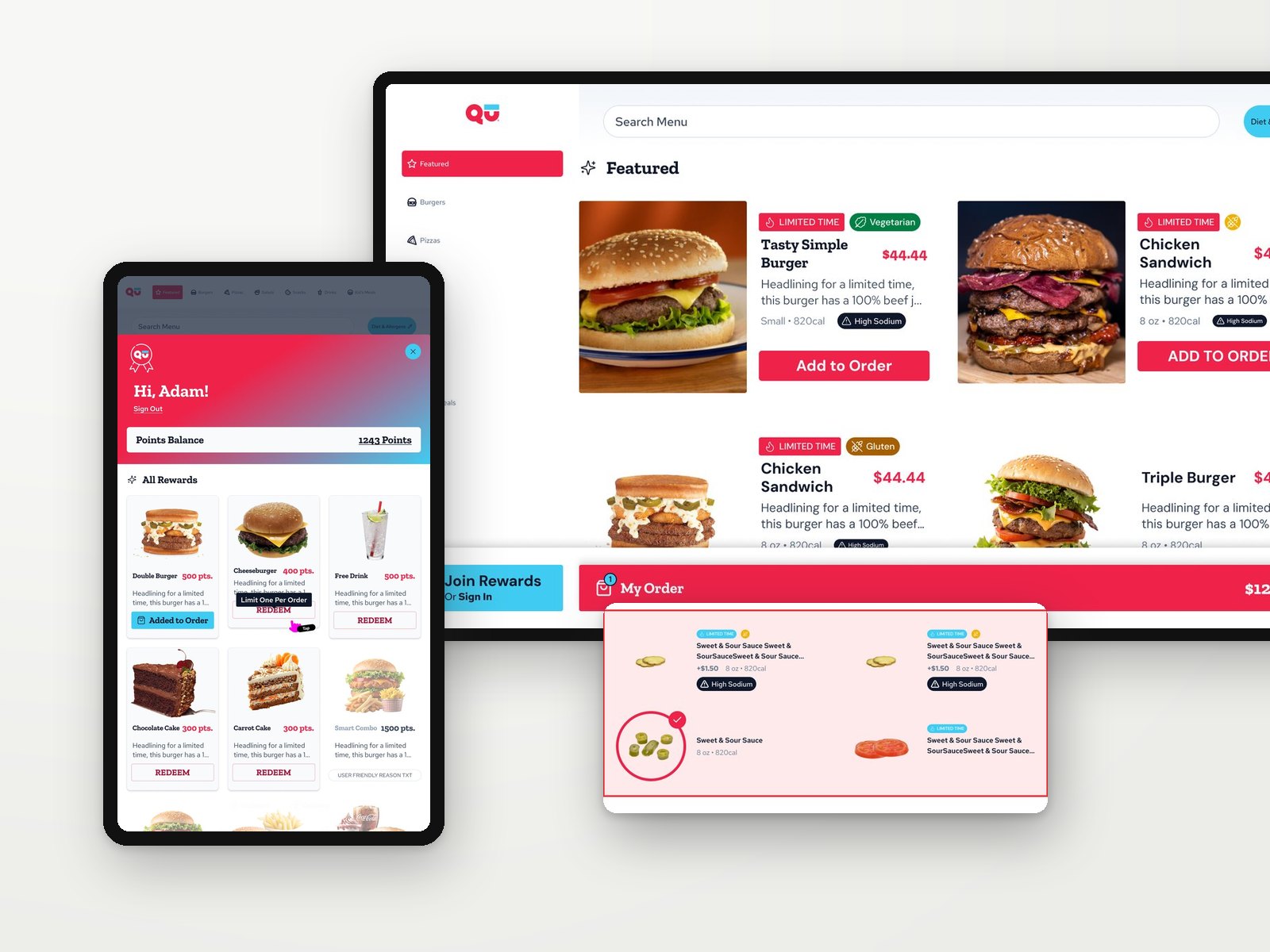
Qu is a commerce platform for restaurant chains with 20 to 2,500+ locations, mostly fast food and fast casual. It covers point of sale, kiosks, drive-thru, online ordering, kitchen displays and order status. At Qu I worked on three of those products: I led the end-to-end redesign of the Kiosk Self-Service, which this case focuses on, and also designed Web Ordering and Order Status. The kiosk is the touchscreen where guests browse the menu, customize items, use loyalty rewards and pay without waiting in line. The kiosk runs in portrait and landscape and is configured for each restaurant brand, so every screen had to work with very different menus, modifiers, loyalty programs and payment setups. I designed the full flow and every state along the way, and built the accessible design system behind it.
Qu es una plataforma de comercio para cadenas de restaurantes de 20 a más de 2.500 locales, sobre todo de comida rápida y fast-casual. Incluye punto de venta, kioscos, drive-thru, pedidos online, pantallas de cocina y estado del pedido. En Qu trabajé en tres de esos productos: lideré el rediseño end-to-end del Kiosco de autoservicio, en el que se centra este caso, y también diseñé Web Ordering y Order Status. El kiosco es la pantalla táctil donde los clientes recorren el menú, personalizan productos, usan sus recompensas y pagan sin hacer fila. El kiosco funciona en vertical y horizontal y se configura para cada marca, así que cada pantalla tenía que funcionar con menús, modificadores, programas de fidelidad y medios de pago muy distintos. Diseñé el flujo completo y cada estado del recorrido, y construí el design system accesible que lo sostiene.
The guest journey
El recorrido del cliente
- StartInicio
- BrowseExplorar
- CustomizePersonalizar
- RewardsRecompensas
- ReviewRevisar
- PayPagar
Start & menu
Inicio y menú
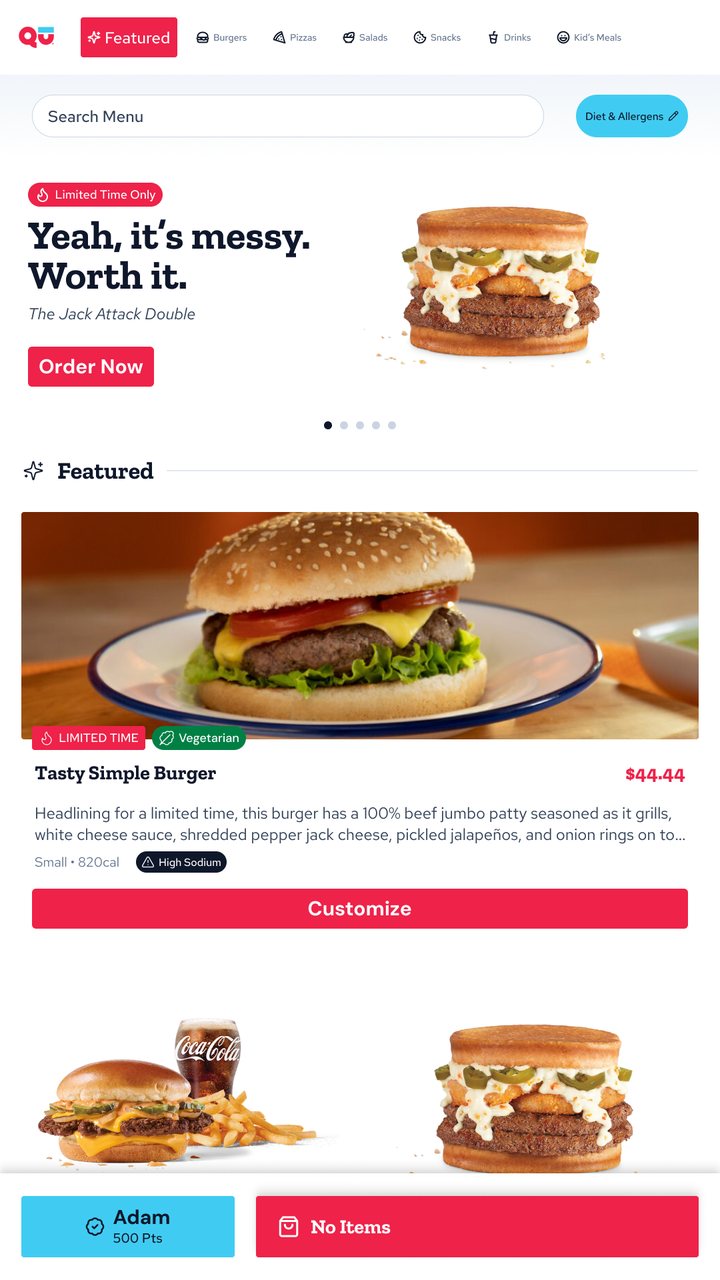
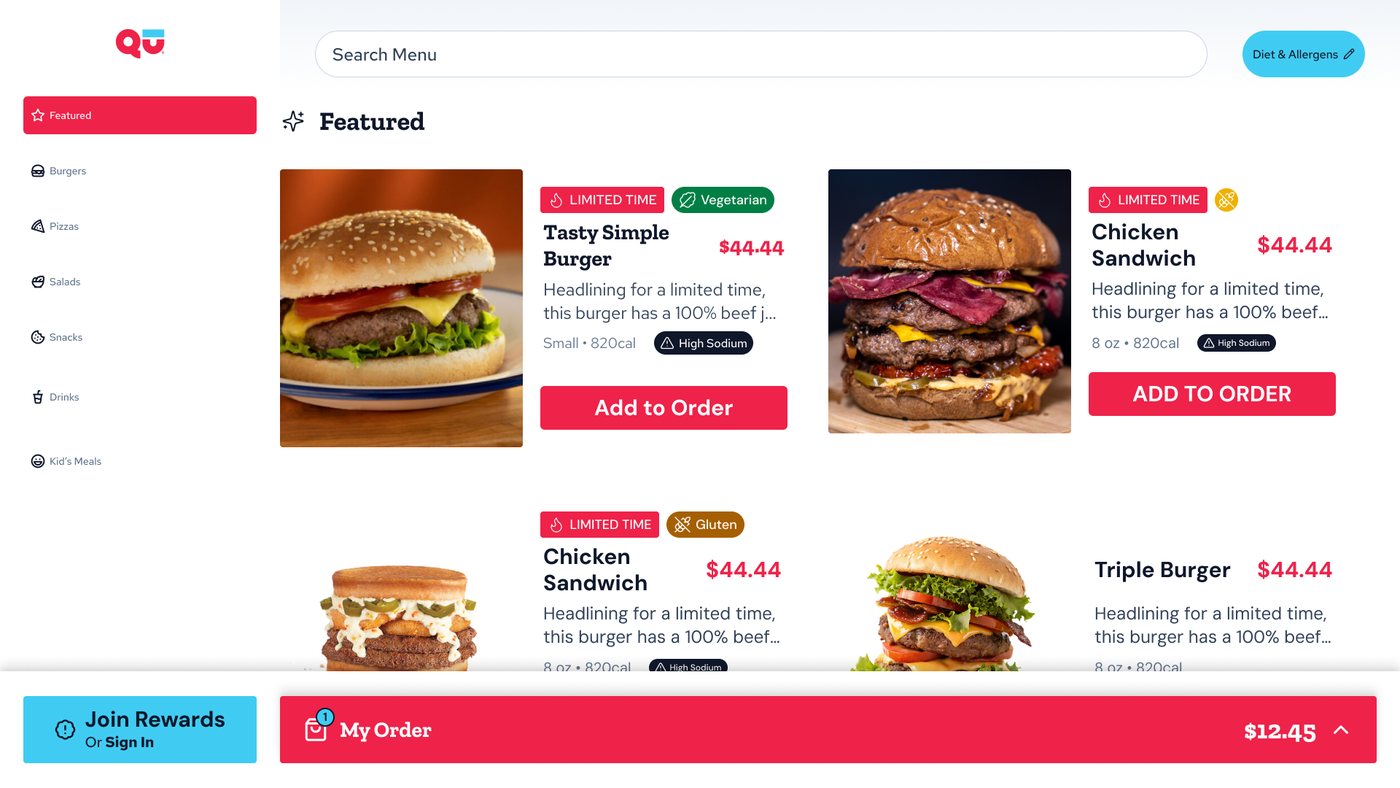
The attract screen invites guests to tap and order, with rewards sign-in one tap away. The menu adapts to the screen: top tabs and a promo banner in portrait, a category sidebar in landscape. The order bar stays fixed at the bottom with the guest's points and running total.
La pantalla de inicio invita a tocar y ordenar, con el acceso a recompensas a un toque. El menú se adapta a la pantalla: pestañas arriba y un banner de promoción en vertical, una barra lateral de categorías en horizontal. La barra del pedido queda fija abajo con los puntos del cliente y el total.
Product cards
Tarjetas de producto
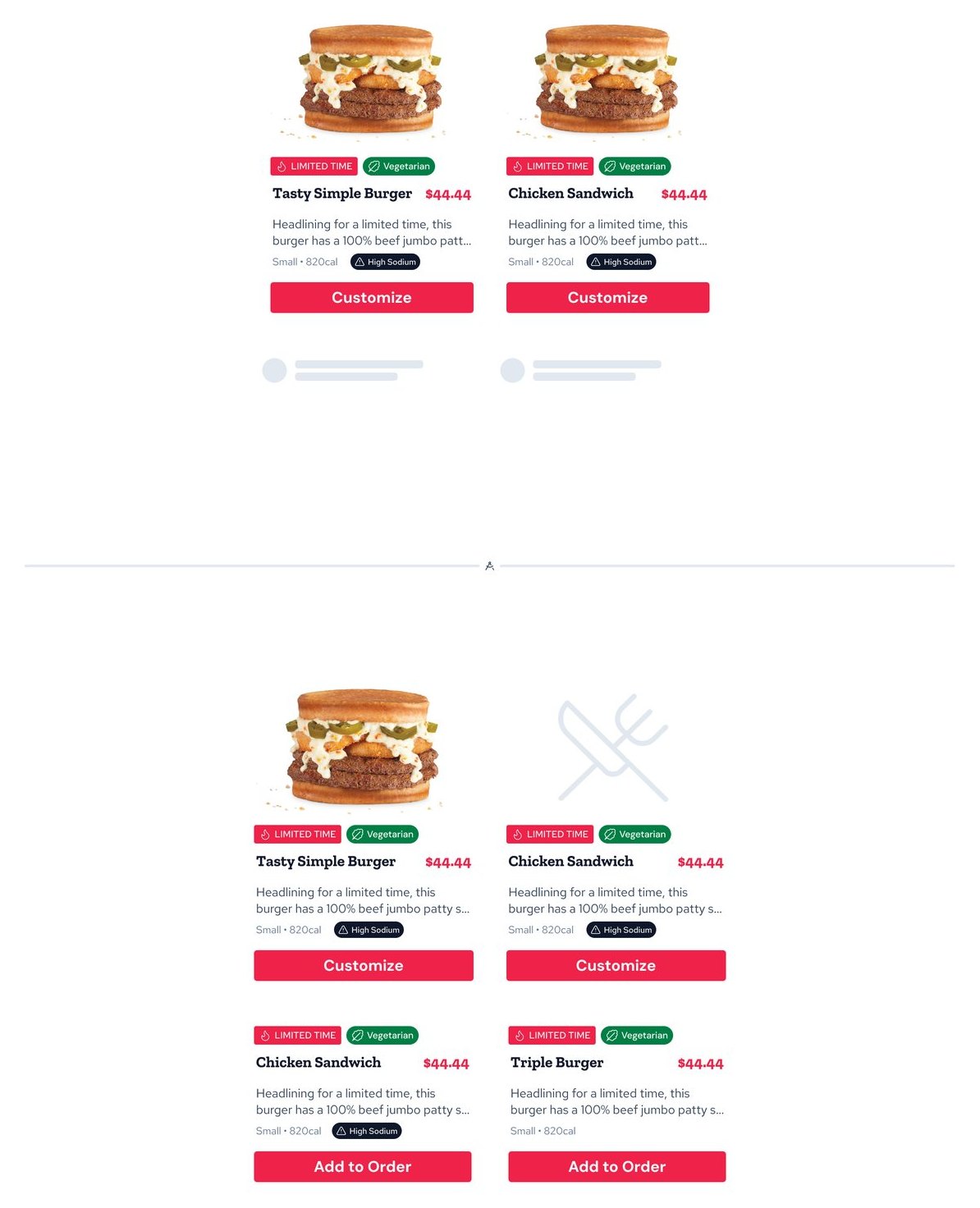
Cards show price, portion, calories and badges for limited-time items, diets and allergens. I designed them for the real world of a restaurant catalog: items without a photo get a neutral placeholder, and loading states keep the grid stable while images arrive.
Las tarjetas muestran precio, porción, calorías y etiquetas de tiempo limitado, dietas y alérgenos. Las diseñé para el catálogo real de un restaurante: los productos sin foto tienen un placeholder neutro, y los estados de carga mantienen la grilla estable mientras llegan las imágenes.
Diet & allergen preferences
Preferencias de dieta y alérgenos
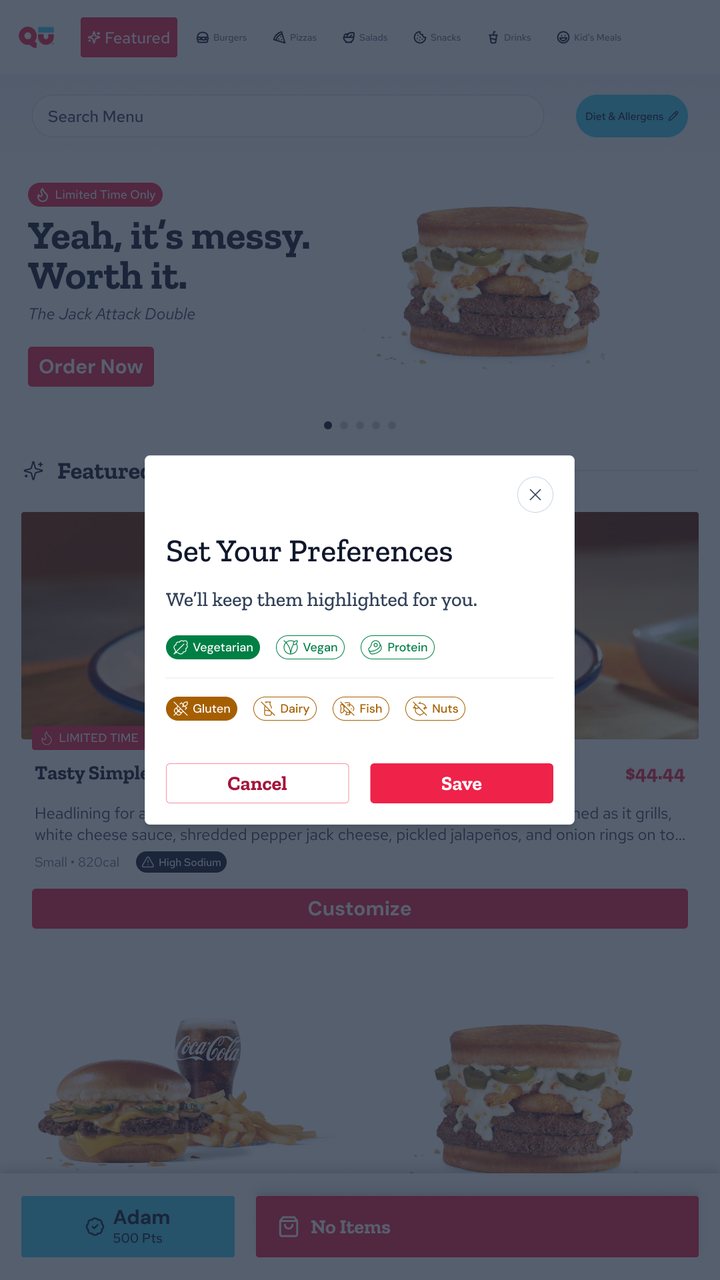
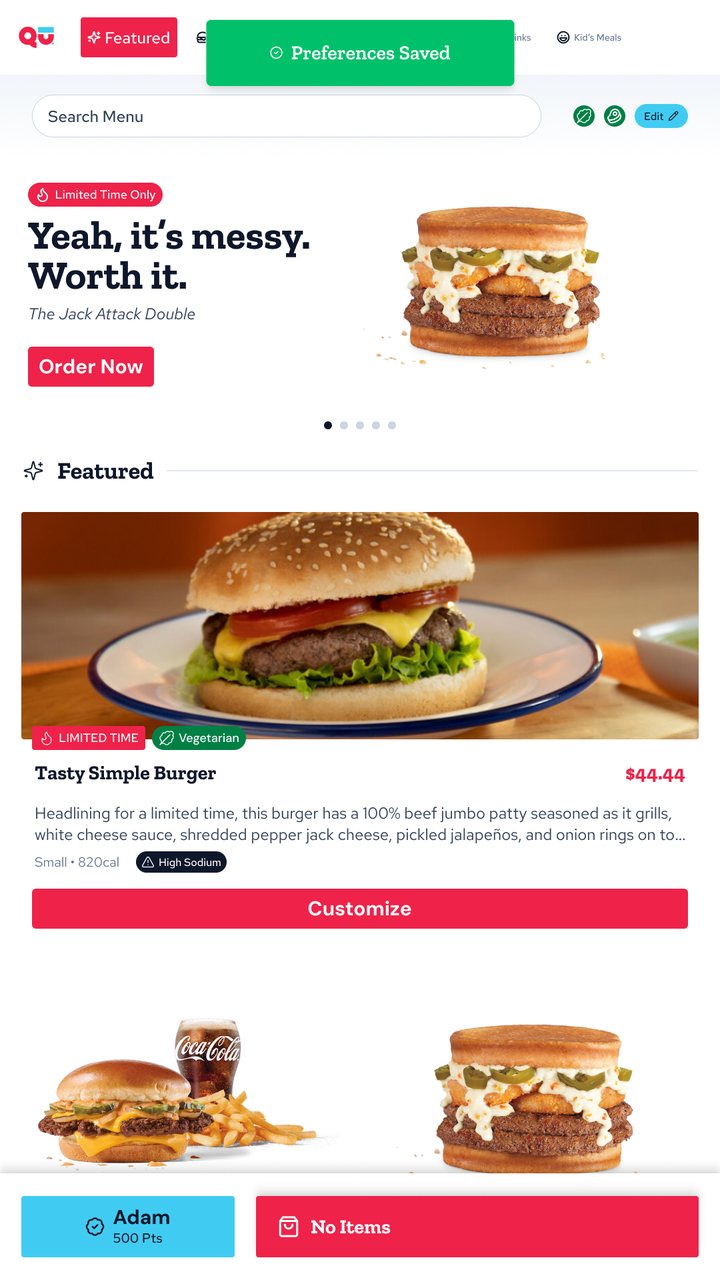
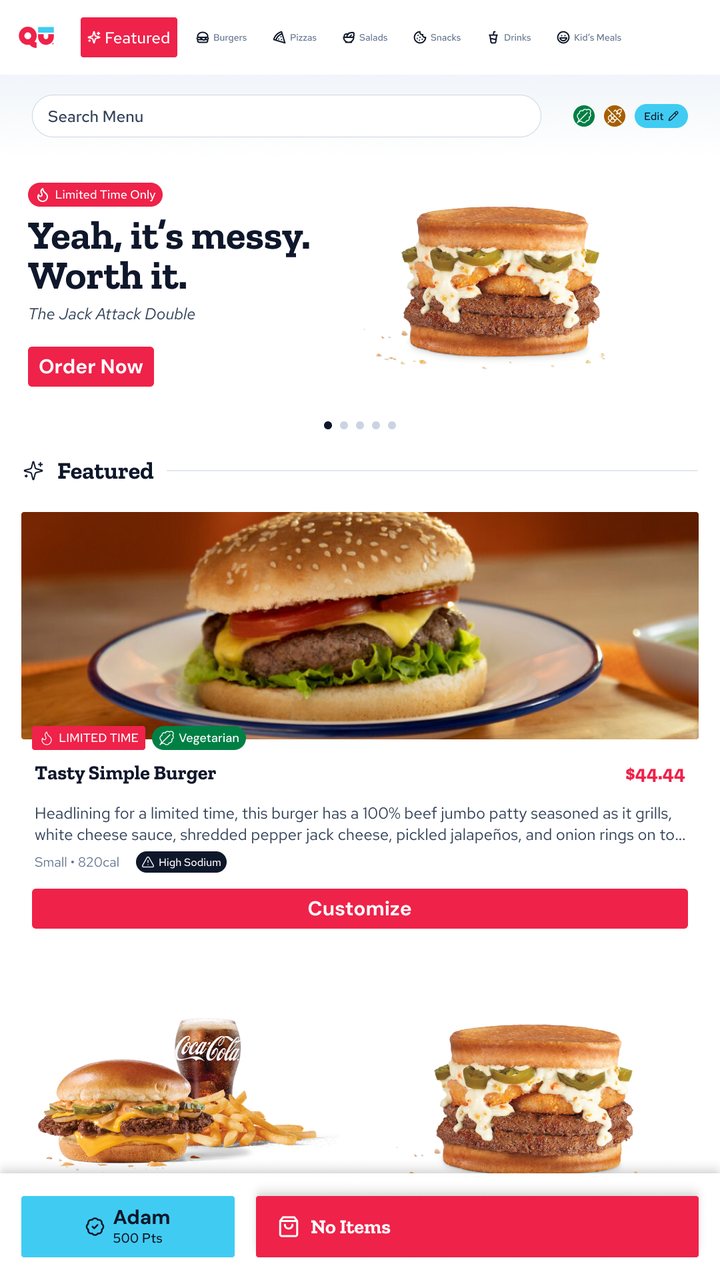
Guests can set dietary preferences and allergens once, and the menu keeps them highlighted. A confirmation shows they were saved, and the active filters stay visible next to the search, with a shortcut to edit them.
El cliente puede definir sus preferencias de dieta y alérgenos una sola vez, y el menú las mantiene resaltadas. Una confirmación avisa que se guardaron, y los filtros activos quedan visibles junto al buscador, con un acceso para editarlos.
Search
Búsqueda
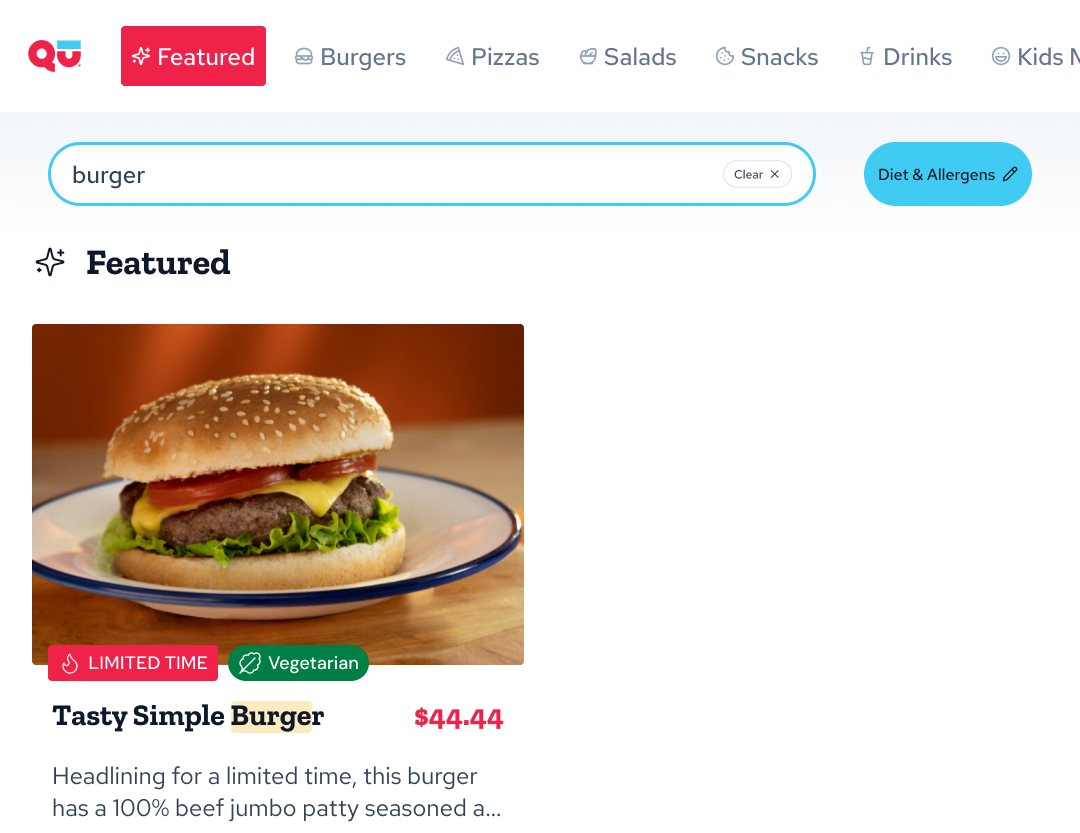
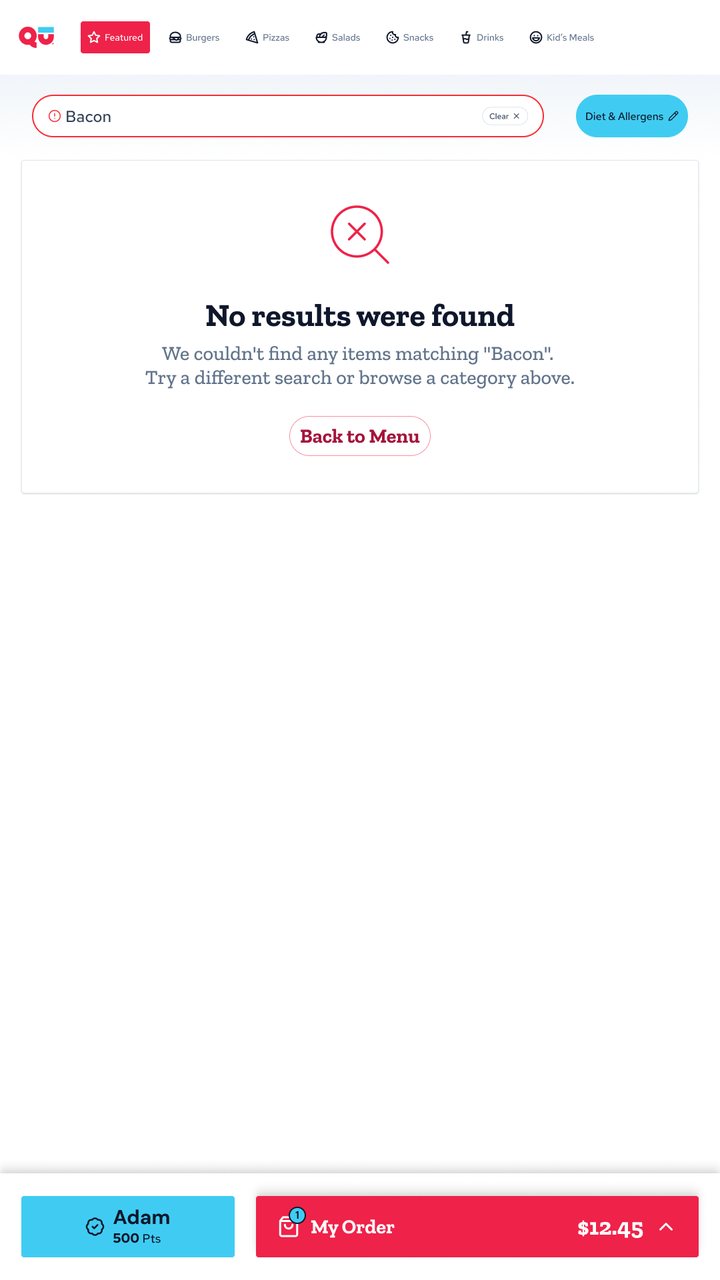
Search highlights the matching words in each result. When nothing matches, the empty state says what was searched and offers a way back to the menu instead of a dead end.
La búsqueda resalta las palabras que coinciden en cada resultado. Si no hay coincidencias, el estado vacío dice qué se buscó y ofrece volver al menú en lugar de un callejón sin salida.
Item customization
Personalización de productos
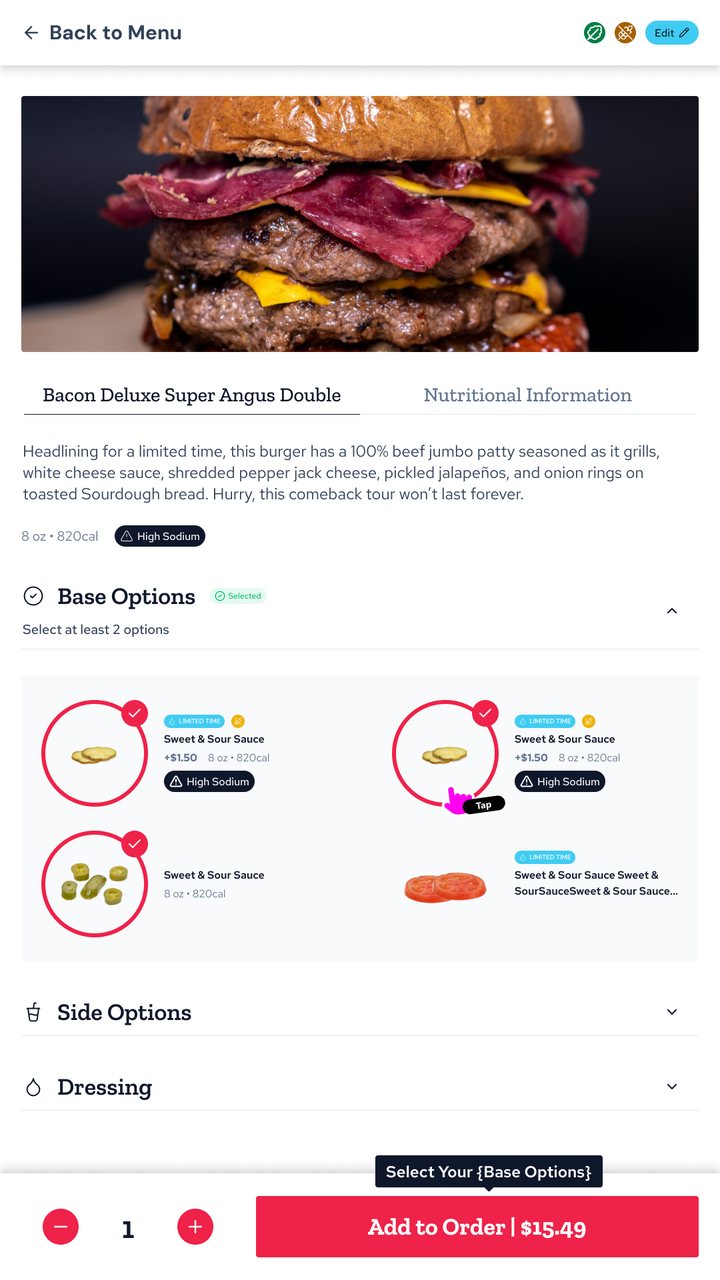
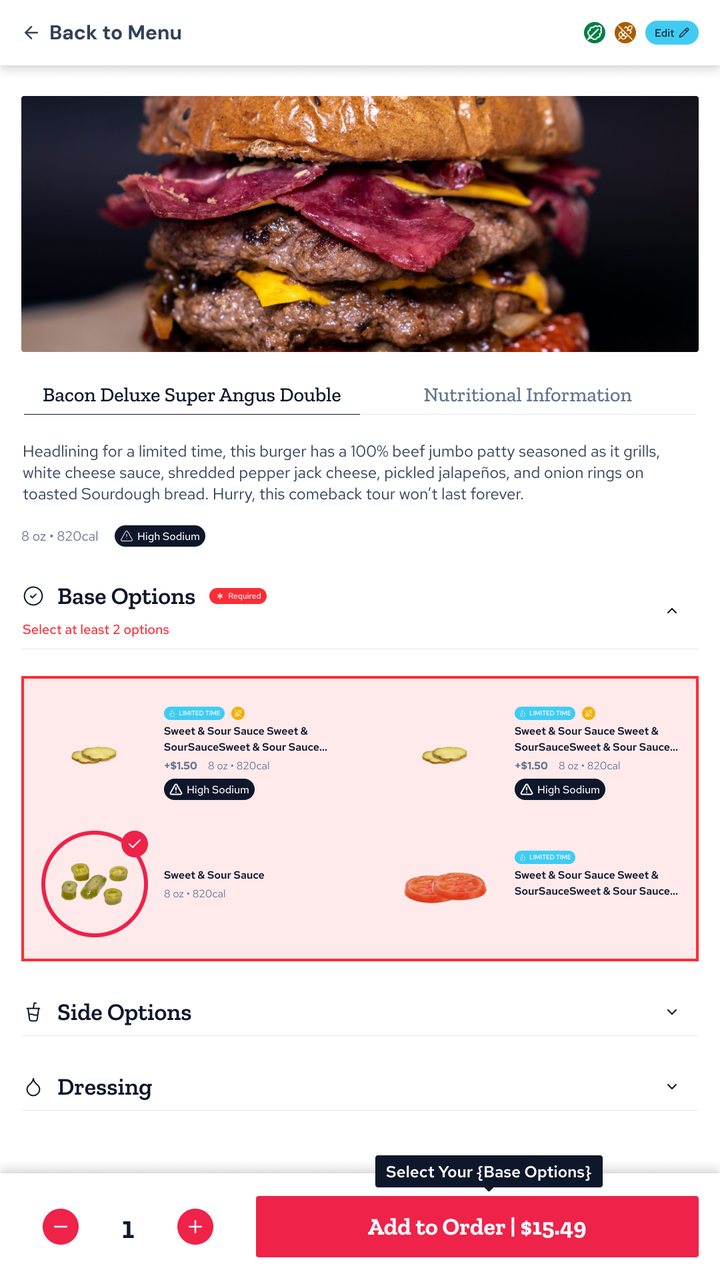
Items can have many groups of options (size, sauces, extras), some inside others, each with its own rules. Required groups are flagged up front, and options show price, calories and allergens. If a guest tries to add an item before completing a required group, the button explains what's missing and the group is highlighted, instead of a generic error.
Los productos pueden tener muchos grupos de opciones (tamaño, salsas, extras), algunos dentro de otros, cada uno con sus reglas. Los grupos obligatorios se marcan desde el principio, y cada opción muestra precio, calorías y alérgenos. Si el cliente intenta agregar el producto sin completar un grupo obligatorio, el botón explica qué falta y el grupo se resalta, en lugar de un error genérico.
Interaction rules
Reglas de interacción
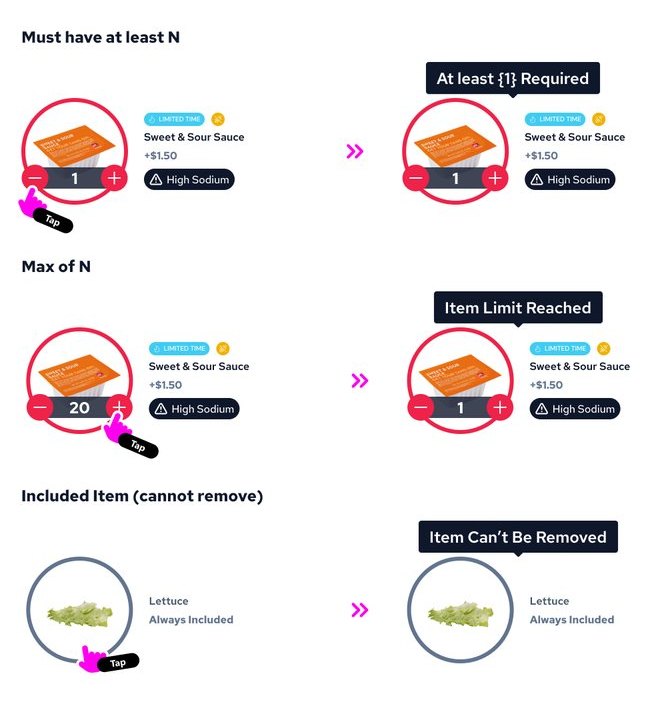
I documented every selection rule as a reusable pattern so engineering could apply it to any brand's menu: minimums, maximums and items that are always included. Each limit answers at the point of interaction with a short message: “At least 1 Required”, “Item Limit Reached”, “Item Can't Be Removed”.
Documenté cada regla de selección como un patrón reutilizable para que desarrollo pudiera aplicarla al menú de cualquier marca: mínimos, máximos e ingredientes que siempre vienen incluidos. Cada límite responde en el lugar de la interacción con un mensaje corto: “Se requiere al menos 1”, “Límite alcanzado”, “Este ingrediente no se puede quitar”.
Loyalty & rewards
Fidelidad y recompensas
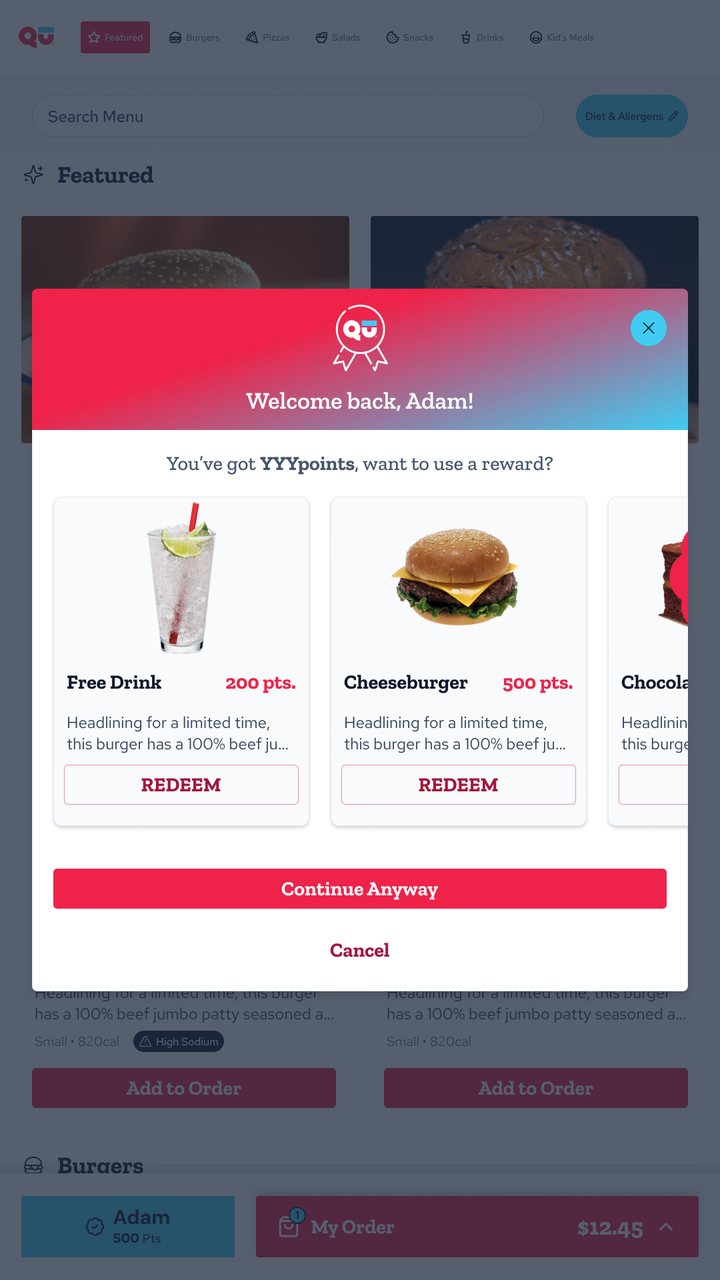
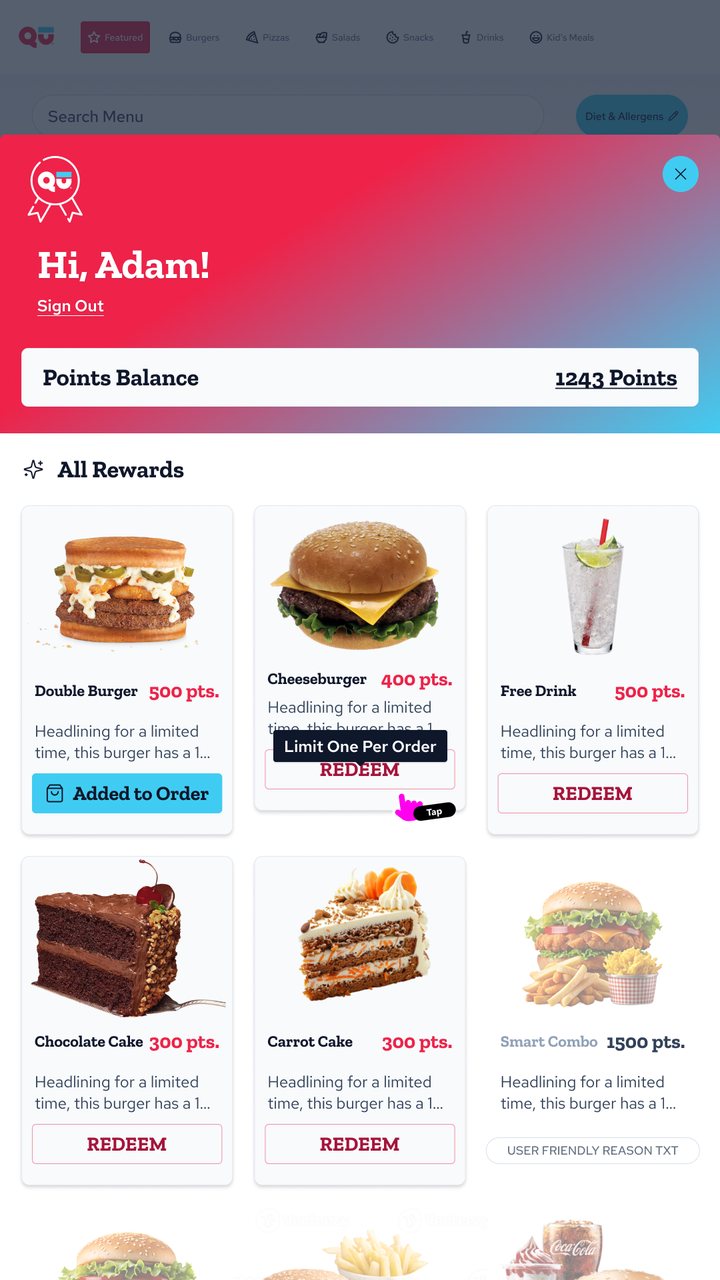
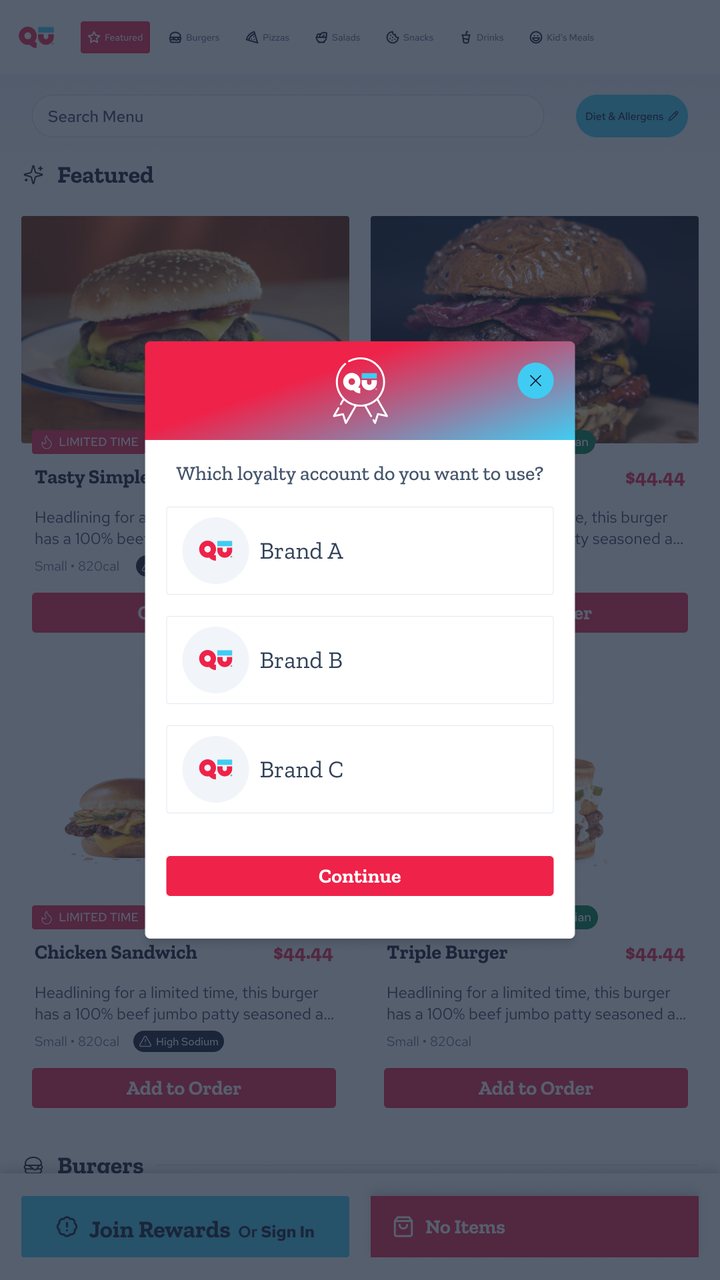
Signed-in guests are welcomed by name and offered their available rewards before ordering. In their profile, each reward shows its state: ready to redeem, added to the order, or limited to one per order. Guests with accounts in several brands choose which one to use.
Los clientes que inician sesión reciben una bienvenida con su nombre y sus recompensas disponibles antes de ordenar. En el perfil, cada recompensa muestra su estado: lista para canjear, agregada al pedido o limitada a una por pedido. Quienes tienen cuenta en varias marcas eligen cuál usar.
My order
Mi pedido
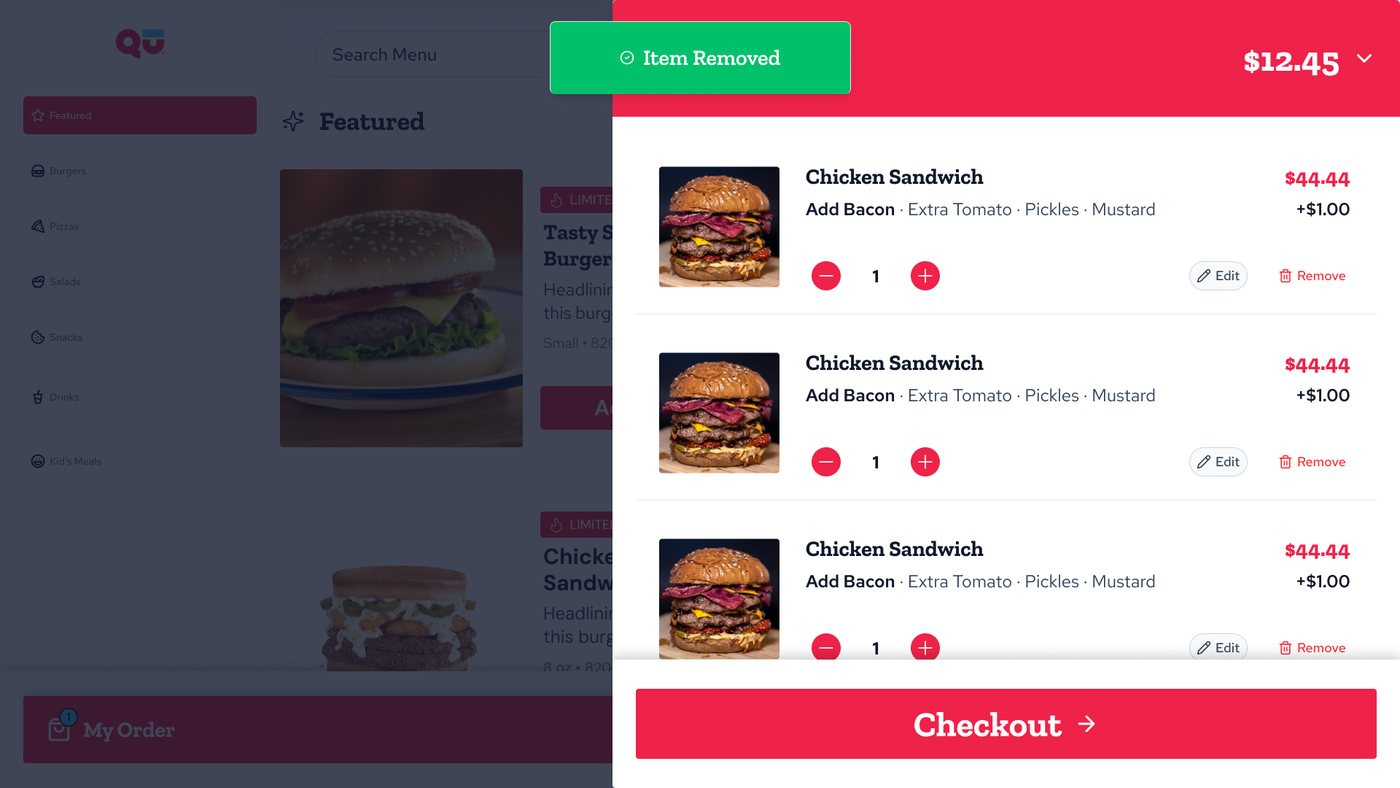
The order panel lists each item with its modifiers, quantity, edit and remove. Removing an item asks for confirmation and shows a short “Item Removed” message so guests know it worked.
El panel del pedido muestra cada producto con sus modificadores, cantidad, editar y quitar. Quitar un producto pide confirmación y muestra un mensaje corto de “Producto eliminado” para que el cliente sepa que funcionó.
Checkout
Checkout
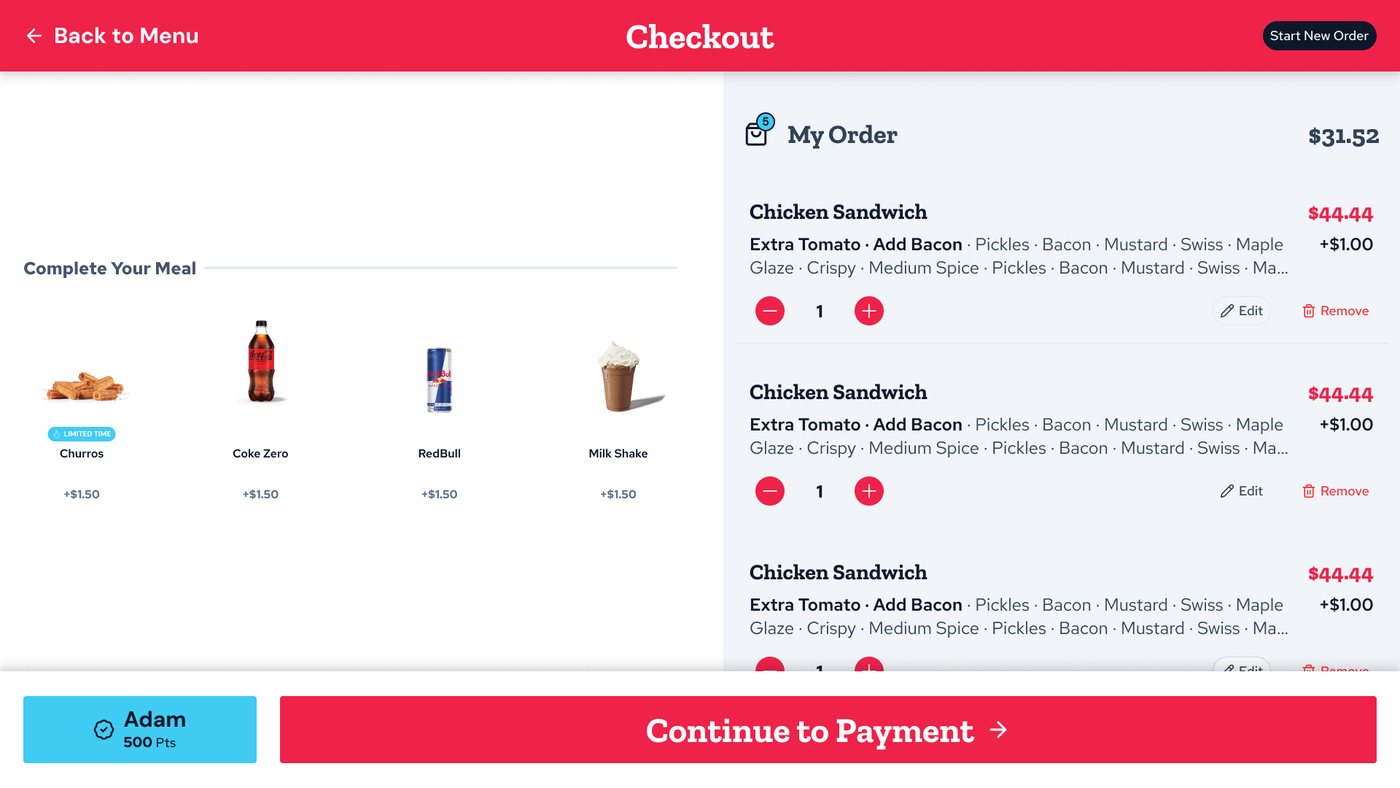
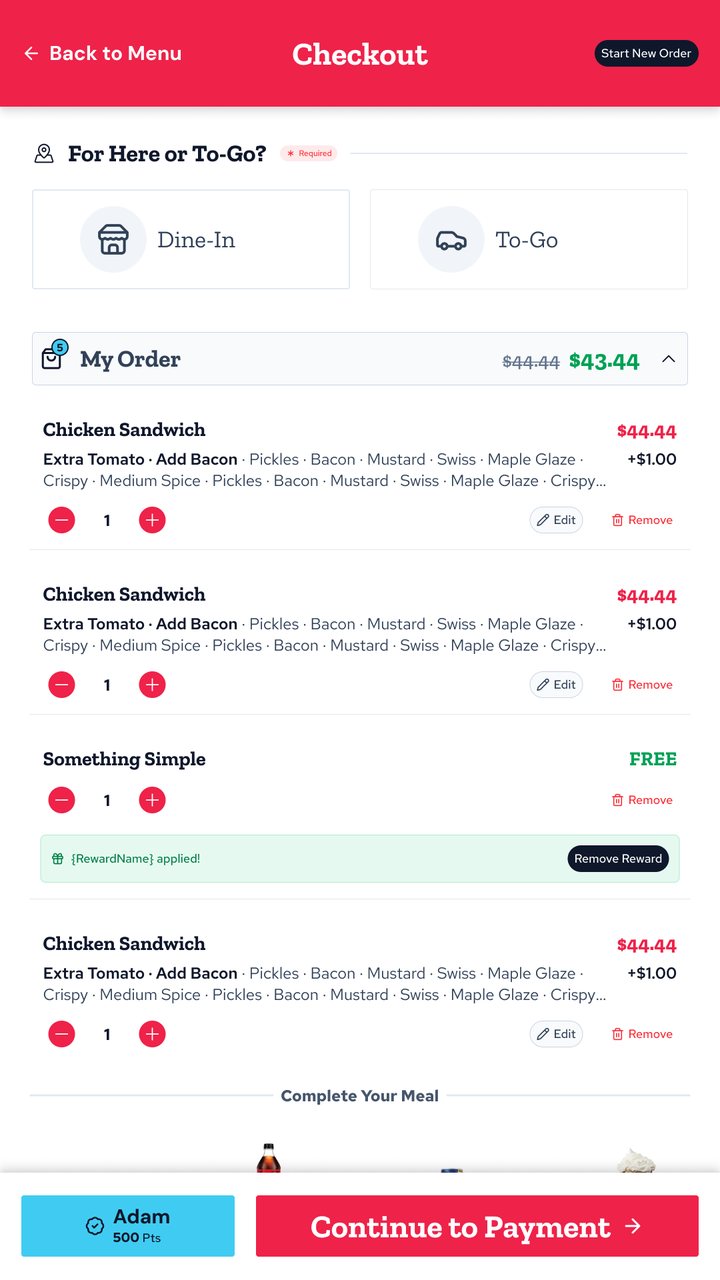
Checkout brings together dine-in or to-go, the order and a “Complete Your Meal” row to add drinks and sides. Rewards are explicit: the discount on the total, or the item marked FREE when the reward applies to a specific product.
El checkout reúne la elección de comer acá o para llevar, el pedido y una fila de “Completá tu comida” para sumar bebidas y acompañamientos. Las recompensas son explícitas: el descuento sobre el total, o el producto marcado como GRATIS cuando la recompensa aplica a uno en particular.
Payment
Pago
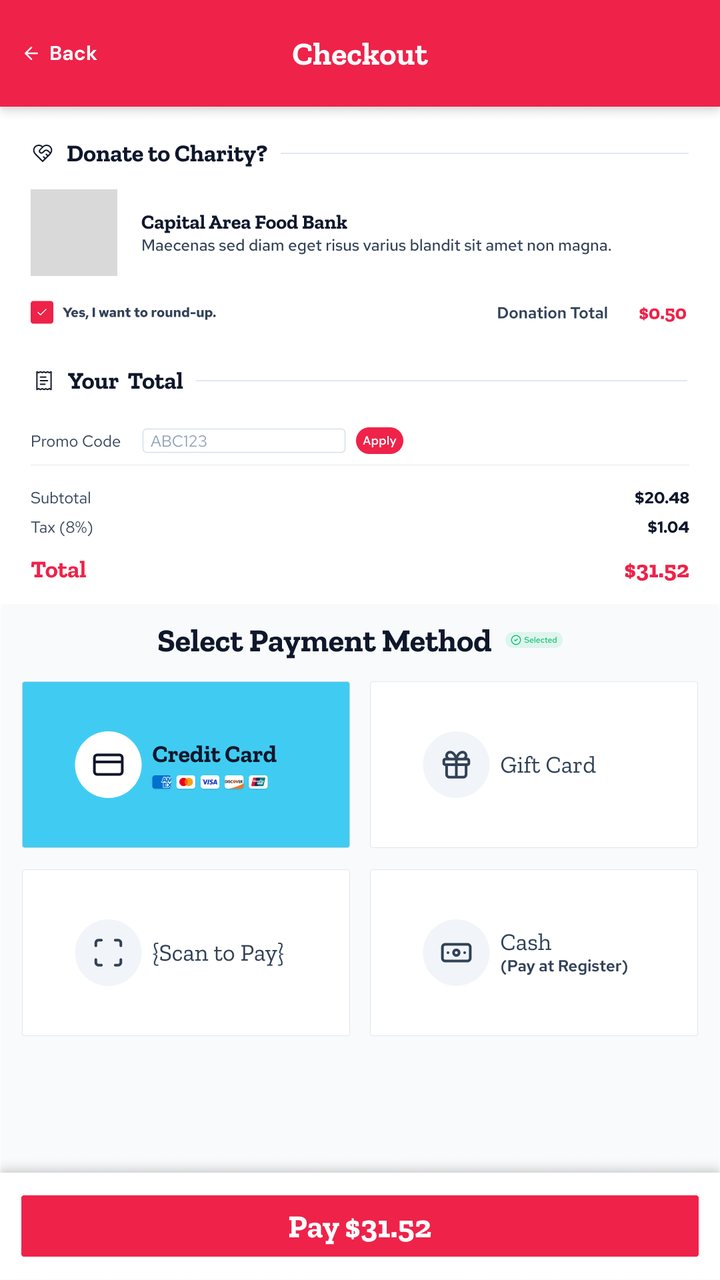
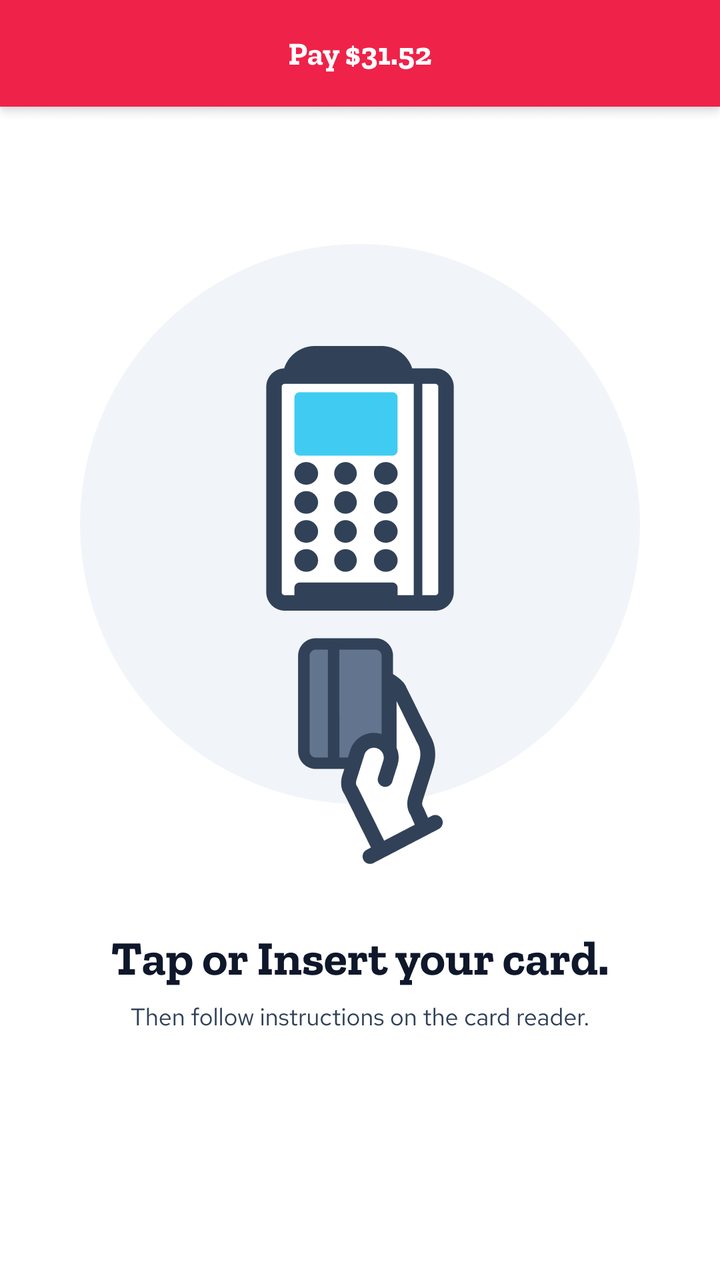
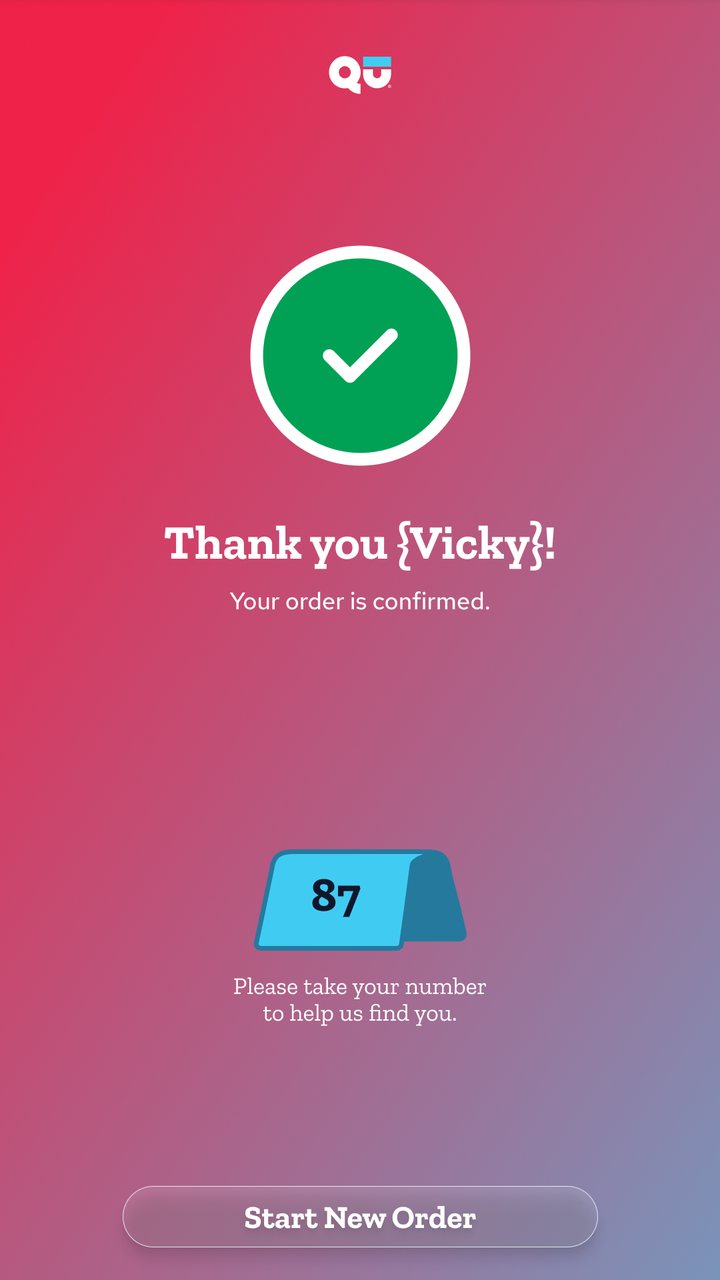
The last step shows an optional charity round-up, promo codes, a clear breakdown and payment methods that change with each location: credit card, gift card, scan to pay or cash at the register. The total is repeated on the button, and the flow ends with the card reader instructions and an order number to pick up the food.
El último paso muestra una donación opcional por redondeo, códigos promocionales, un desglose claro y medios de pago que cambian según el local: tarjeta de crédito, gift card, pago con QR o efectivo en caja. El total se repite en el botón, y el flujo termina con las instrucciones del lector de tarjetas y un número de pedido para retirar la comida.
Other states I designed
Otros estados que diseñé
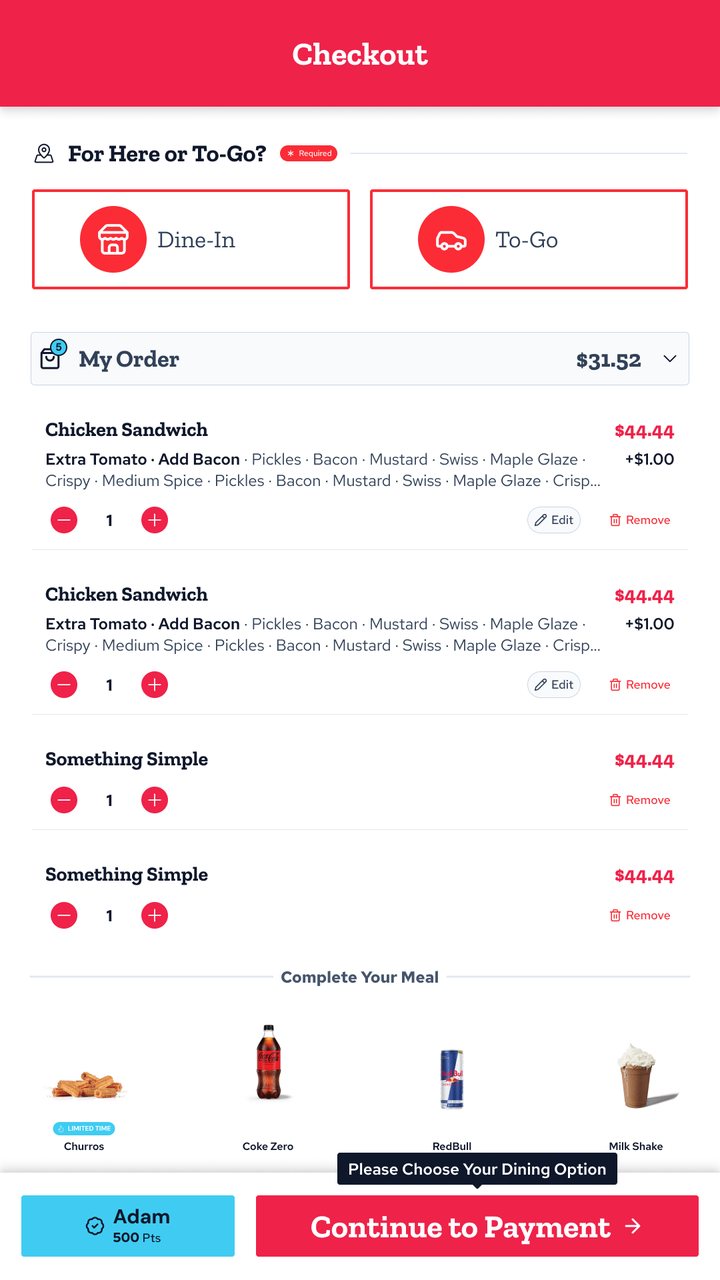
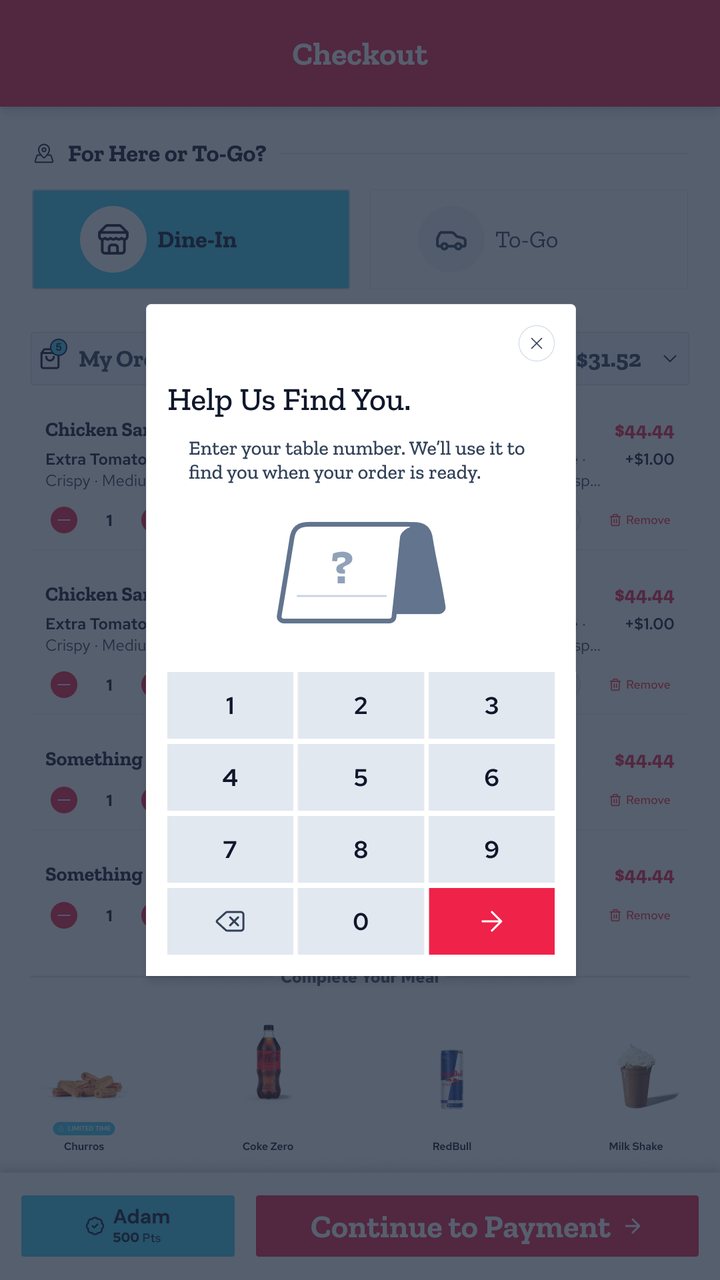
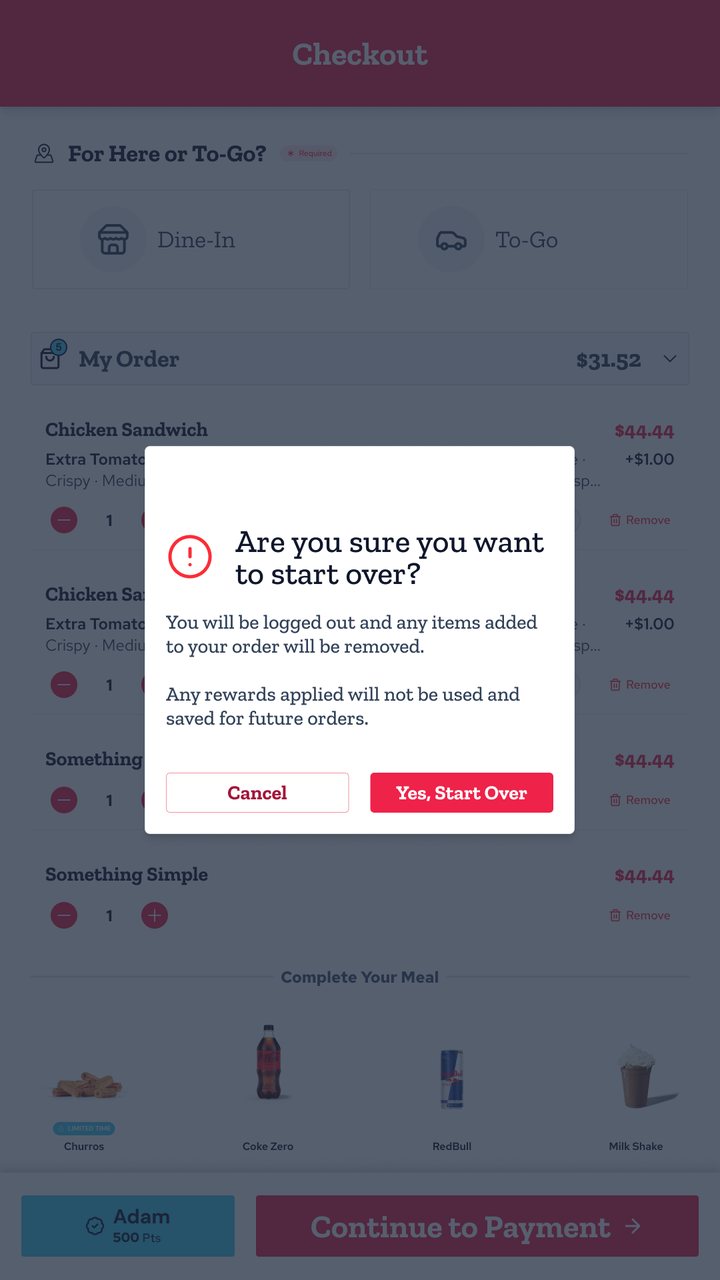
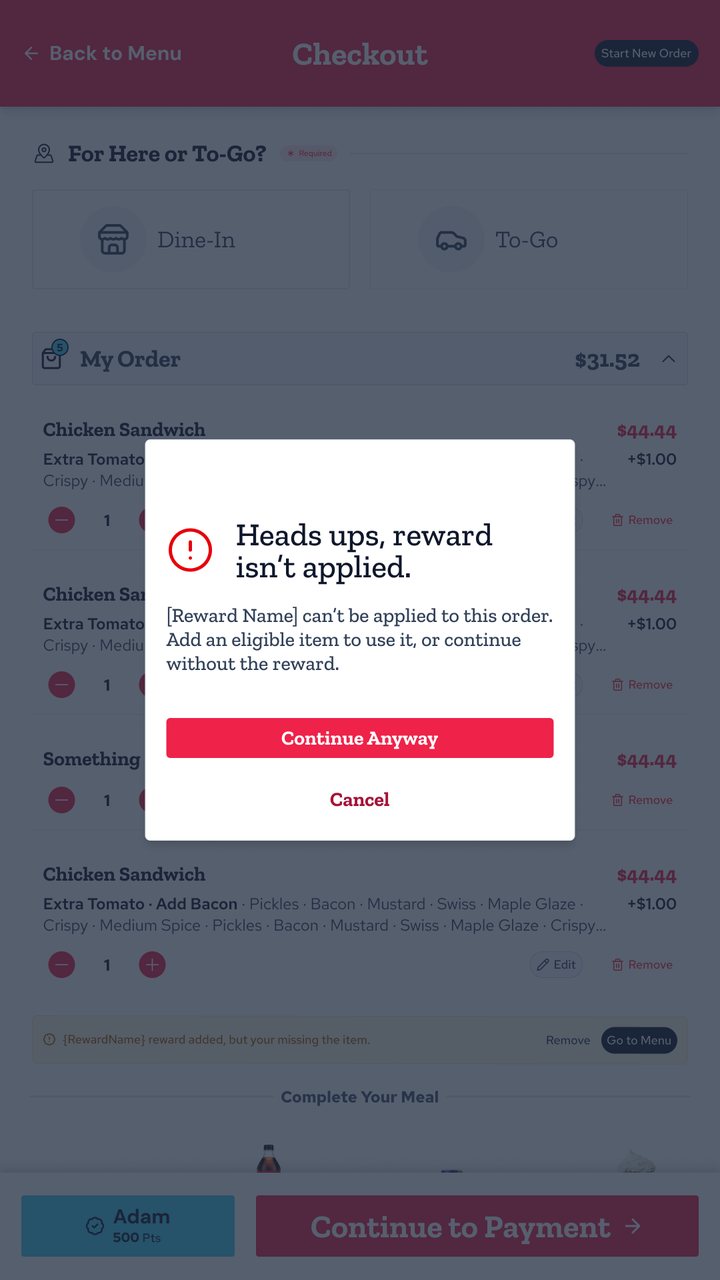
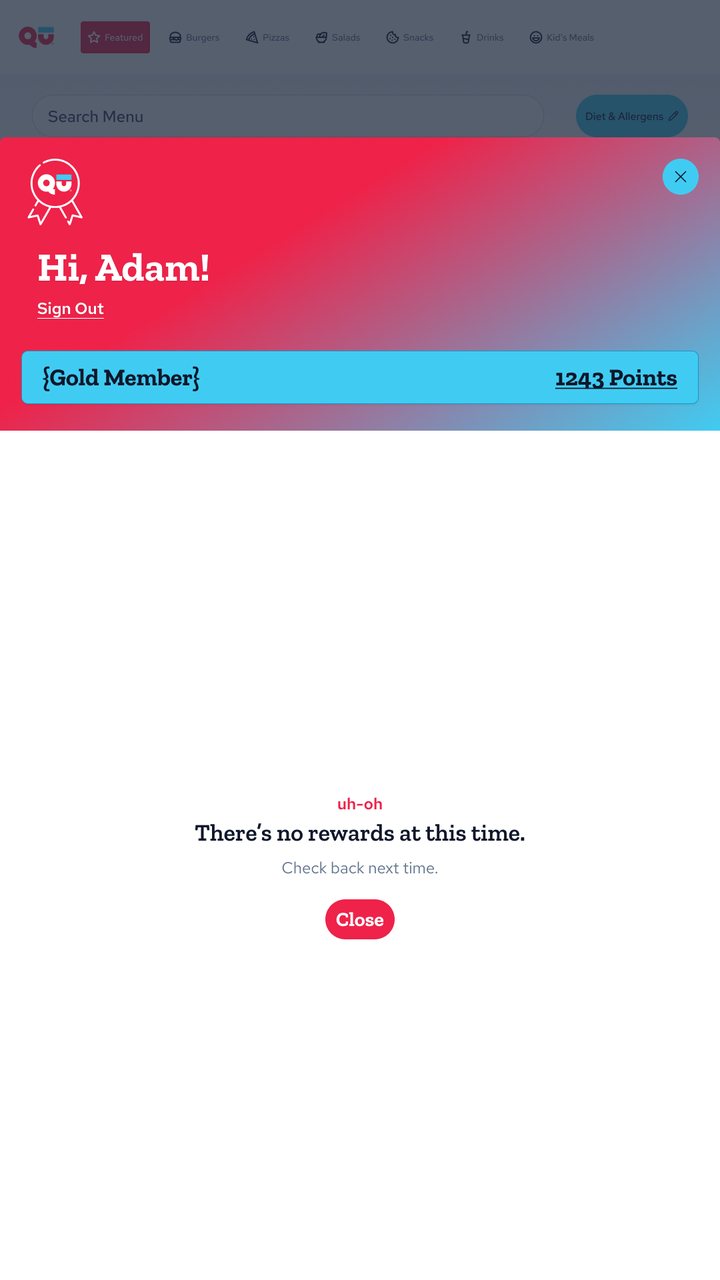
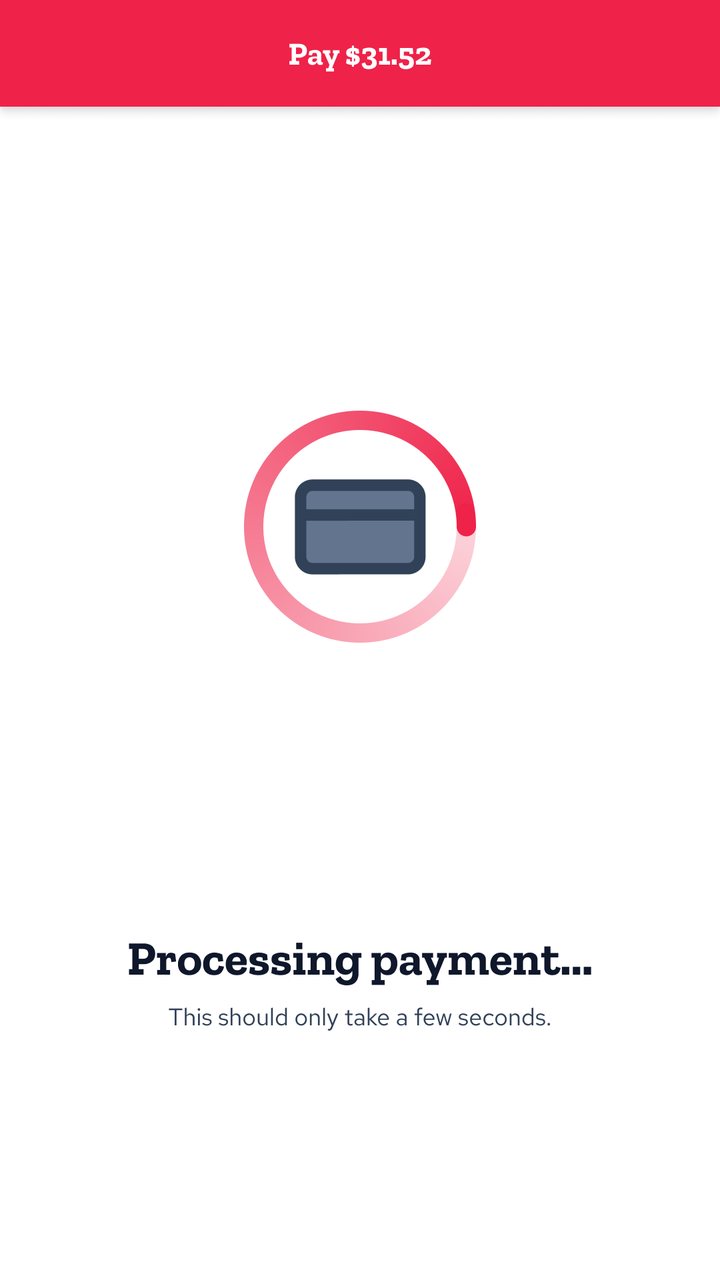
Every step has its edge cases. A few of them: a required dining option, the table number, starting over, a reward that can't be applied yet, no rewards available and processing payment.
Cada paso tiene sus casos borde. Algunos de ellos: la opción obligatoria de comer acá o para llevar, el número de mesa, empezar de nuevo, una recompensa que todavía no se puede aplicar, sin recompensas disponibles y pago en proceso.
Design system & accessibility
Design system y accesibilidad
I built a scalable, accessible design system so the kiosk stays consistent across brands and orientations, and every new state reuses existing components. I applied WCAG accessibility standards across kiosk and web ordering: large touch targets, readable contrast, and messages that say what happened and what to do next.
Construí un design system escalable y accesible para que el kiosco sea consistente entre marcas y orientaciones, y cada estado nuevo reutilice componentes existentes. Apliqué los estándares de accesibilidad WCAG en el kiosco y en los pedidos web: áreas táctiles grandes, contraste legible y mensajes que dicen qué pasó y qué hacer.
Outcome
Resultado
The redesigned kiosk launched and is live: guests use it to order in restaurants running on Qu. The interaction rules and components I documented became the reference engineering used to configure each brand's menu.
El kiosco rediseñado se lanzó y está en uso: los clientes ordenan con él en los restaurantes que funcionan con Qu. Las reglas de interacción y los componentes que documenté se convirtieron en la referencia que usó desarrollo para configurar el menú de cada marca.
Also at Qu: Web Ordering & Order Status
También en Qu: Web Ordering y Order Status
Beyond the kiosk, I led the Digital Design team for Modern Web Ordering, the app guests use to order online for pickup or delivery, setting its design direction with Product and Engineering. I also designed Order Status: the screens inside the restaurant that show guests whether their order is being prepared or ready to pick up.
Además del kiosco, lideré el equipo de Diseño Digital de Modern Web Ordering, la app con la que los clientes piden online para retirar o con delivery, definiendo su dirección de diseño junto a Producto e Ingeniería. También diseñé Order Status: las pantallas dentro del restaurante que muestran a los clientes si su pedido se está preparando o ya está listo para retirar.